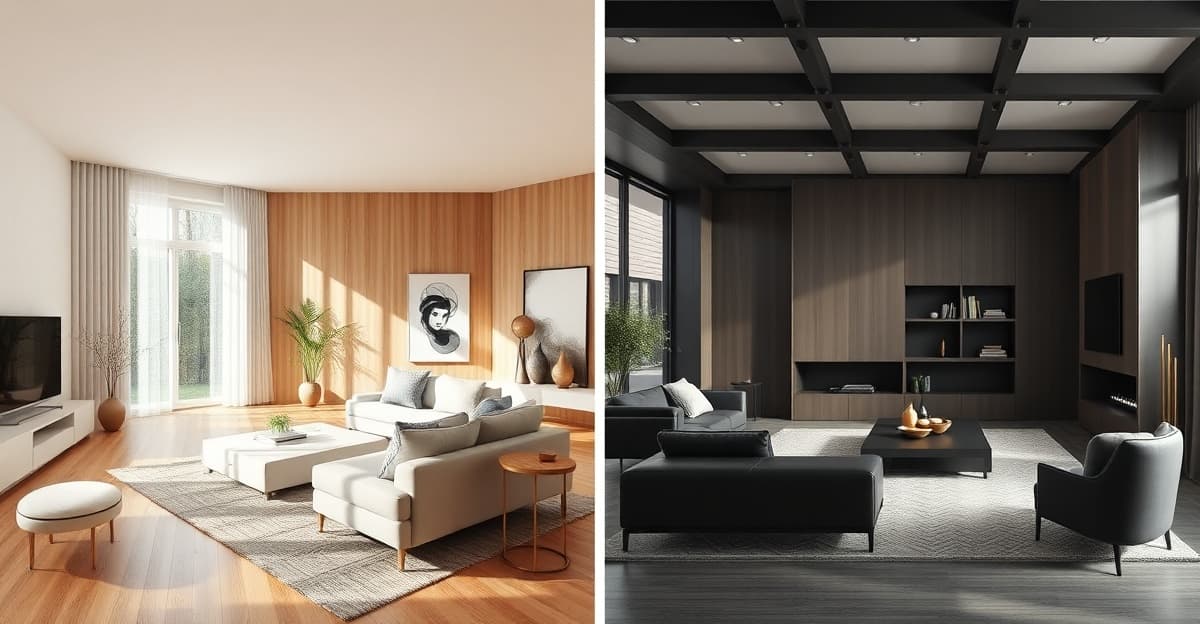
As the founder of an AI room visualization tool, I spend a lot of time looking at what’s out there. But I realized I’d never done what a normal person would do — just pick a room photo, try every tool, and see what happens.
So that’s exactly what I did. I took a single photo of my living room and ran it through seven of the most popular AI interior design tools on the market. Same photo. Same style selection (modern, where available). Timed each one. Noted the quirks.
This isn’t a sponsored post. I’m obviously biased — I built one of these tools — but I’ve tried to be as honest as possible. Where a competitor does something better than us, I’ll say so.
One note before we start: if you were actually searching for an alternative to Renovate AI — the similarly-named mobile app — we keep an honest side-by-side comparison on its own page.
Interior AI
interiorai.comPros
- Good structural preservation — room layout was mostly maintained
- Strong empty room / virtual staging capabilities
- SketchUp file support and 3D flythroughs for pros
- Well-established brand with a community
Cons
- Pricier entry point (~$30) than most alternatives
- Interface is cluttered and overwhelming — buttons, panels, and options everywhere. It feels like a tool built for power users, not homeowners
- Blog appears completely broken (404 errors across the board) — not a great sign for a “premium” product
- Generation speed varies wildly (10s to 44s) — sometimes you wait, sometimes you don’t
- No taste analysis, no price estimation, no contractor brief export — it’s a visualization tool only
- Dark mode interface feels cold and technical, not inviting
Decoratly
decoratly.comPros
- 50+ design styles — the widest selection I tested
- Shopping integration via Google Shopping
- AI chat assistant for design advice
- 4K quality exports
Cons
- Time-based access ($3.99 for 24 hours) creates real pressure — the clock starts ticking the moment you pay, whether you’re ready or not
- 3x slower generation (~30 seconds vs ~10 seconds)
- Results take creative liberties with your room layout — proportions shifted, structural preservation is weaker
- Interface is busy with options, pop-ups, and upsells — the experience feels more like a marketplace than a design tool
- No taste analysis, no price estimation, no contractor briefs, no multi-generation — it’s a style visualizer with shopping, not a renovation planning tool
- Shopping is basic Google Shopping links, not regionalized retailer integration
Collov AI
collov.aiPros
- Specifically built for real estate professionals
- Furniture detection AI works well
- Fast generation (under 15 seconds)
Cons
- Completely wrong tool for homeowners — the entire UI is designed for real estate agents
- My living room results looked like a generic staging photo, nothing like my actual room
- Pricing is hidden behind “contact us” walls — a red flag for transparency
- Interface is complex, professional-oriented, and not intuitive for casual users
- No style exploration, no taste analysis, no renovation planning features whatsoever
- The “1M+ professionals” claim is for a niche most readers aren’t in
Spacely AI
spacely.aiPros
- Sketch-to-render pipeline is unique
- Professional-grade controls
- Used by some major design firms
Cons
- Slowest generation of all tools tested — 45–60 seconds per render is painful
- Steep learning curve with a cluttered, technical interface — definitely not “upload and done”
- Results looked like professional 3D renders, not photos of my actual room — poor structural preservation
- Pricing structure is confusing and opaque
- No shopping, no pricing, no contractor briefs, no taste analysis — it’s a rendering tool for architects, not a renovation helper
- The whole experience feels like enterprise software, not a consumer product
HomeDesigns AI
homedesigns.aiPros
- Covers interior, exterior, and garden design
- Decent speed (~20 seconds)
- Active blog with useful content
Cons
- Monthly subscription ($29+/mo) is the most expensive model here — hard to justify for a one-time renovation
- Classic jack-of-all-trades problem — does interior, exterior, and garden, but none of them exceptionally well
- Results were noticeably less crisp and realistic than the top tools
- Interface tries to do too much, leading to a cluttered, unfocused experience
- No taste analysis, no price estimation, no contractor briefs — despite the “full renovation planning” positioning
- You’re paying monthly for garden and exterior features even if you only want interior
RoomGPT
roomgpt.ioPros
- One free generation to try it out
- Fast enough for a quick look
- Low barrier to entry
Cons
- Only 1 free credit — the “free” experience is essentially a single test
- Noticeably lower quality results — images often look obviously AI-generated
- Worst structural preservation of all seven tools — the room barely resembles yours
- Very limited style options
- Minimal control over the output — you get what you get
- No shopping, no pricing, no contractor export, no taste analysis — zero renovation planning features
- The “simple interface” is actually just a lack of features
RenovateWithAI
renovatewithai.comPros
- Fastest generation of all tools tested (~10 seconds)
- No subscription — buy credits when you need them (from €9)
- Best structural preservation — room-lock technology keeps your actual room layout intact, not a generic render
- “Explain My Taste” — upload inspiration photos and get a Design DNA profile (color temperature, materials, textures) that guides your generations
- Inspiration mode — generates 4 distinct creative variations from a single prompt, so you can compare directions instantly
- Shopping integration with Amazon, IKEA, Wayfair + 20 more retailers, regionalized to your country
- Built-in price estimation with regional cost breakdowns down to postal code level
- Professional contractor brief export as PDF with analyzed colors, materials, and specs
- Renovate Agent (Beta) — AI analyzes your room and suggests 2 curated design directions
- Cleanest, most intuitive interface of any tool tested — zero learning curve, zero clutter
Cons
- Newer tool with a smaller community than Interior AI or Decoratly
- 11 curated styles vs Decoratly’s 50+
- No empty room / virtual staging mode
How I Tested
I used the same well-lit living room photo across all seven tools. For each tool, I:
- Uploaded the photo and selected the closest match to a “modern” style
- Timed the generation from click to result
- Evaluated the output on three criteria: realism (does it look like a photo?), style accuracy (did it actually apply the style I chose?), and structural preservation (does the room still look like my room?)
- Checked the pricing, free tier, and overall ease of use
I didn’t use any premium or pro features unless they were part of the standard flow. Every tool got a fair shot at the same task.
The 7 Tools I Tested
Here’s a quick overview before I go deeper on each one:
| Tool | Pricing | Speed | Best For |
|---|---|---|---|
| Interior AI | ~$30 credits | 10–44s | Virtual staging for real estate |
| Decoratly | $3.99–$15.99 | ~30s | Style browsing with many options |
| Collov AI | Free trial + plans | <15s | Real estate staging only |
| Spacely AI | Free tier + plans | 45–60s | Design professionals only |
| HomeDesigns AI | $29+/mo | ~20s | Exterior + garden (if you need that) |
| RoomGPT | 1 free credit, then paid | ~15s | A single free test |
| RenovateWithAI | €9–39 credits | ~10s | Homeowner renovations (most features) |
Now let me walk through each one in detail.
Individual Reviews
Below you’ll find my detailed review for each tool, including specific observations from testing with the same living room photo.
Side-by-Side Results
The biggest surprise wasn’t the quality differences — most tools produce decent results. The real differences showed up in how well each tool preserved my actual room.
Some tools essentially generated a new room that looked nothing like mine. Others kept the bones of my space but swapped materials and furniture in a believable way. That second group is what you actually want if you’re planning a renovation — you need to see your room transformed, not someone else’s.
RenovateWithAI had the strongest structural preservation, and it’s not accidental. The tool uses what I call “room-lock” technology — explicit constraints that tell the AI to preserve walls, floors, ceiling height, window positions, and spatial geometry while only changing the design elements you asked for. Interior AI was close behind. Decoratly produced more polished-looking results but took more creative liberties with the room layout. Collov AI and Spacely AI produced beautiful images that looked more like generic renders than my actual living room.
Which Tool Should You Use?
After a week of testing, here’s my honest recommendation based on what you’re actually trying to do:
If you’re a homeowner planning a renovation: RenovateWithAI. It’s the only tool that covers the full renovation planning journey — from taste discovery (Explain My Taste) through style visualization (30+ styles, Inspiration mode with 4 variations) to practical planning (price estimation, shopping with Amazon/IKEA/Wayfair, contractor brief export). All of that in the fastest, cleanest interface I tested. Decoratly is a solid alternative if you value a wider style library (50+) over the planning features.
If you’re a real estate agent doing virtual staging: Collov AI. It’s specifically built for this — empty room staging, furniture detection, and the professional features agents need.
If you’re a design professional: Spacely AI. The sketch-to-render pipeline and professional controls justify the slower speed and steeper learning curve.
If you want to try something for free first: RoomGPT. No credit card, no signup hassle, instant results. The quality is lower, but it costs nothing to find out if AI room design is useful to you.
If you want the most established option: Interior AI. Biggest community and strong virtual staging, but you’ll pay more and get fewer renovation-specific features than RenovateWithAI.
The Verdict
There’s no single “best” AI interior design tool for every use case. But for the most common one — a homeowner planning a renovation — RenovateWithAI stands out.
No other tool combines taste analysis, style visualization, multi-generation inspiration, shopping integration, price estimation, and contractor briefs in one place. The speed (~10 seconds), structural preservation (room-lock technology), and clean interface are the cherry on top. And you never have to worry about a subscription.
For professionals, the landscape is different. Collov AI owns the real estate staging niche. Spacely AI is the strongest for design workflows. Interior AI is the most established brand overall.
The honest truth? AI room design has gotten remarkably good across the board. Even the weakest tool on this list produces results that would have been impossible two years ago. But the tools that go beyond just generating a pretty picture — the ones that help you actually plan, budget, shop, and communicate your renovation — are in a different league.