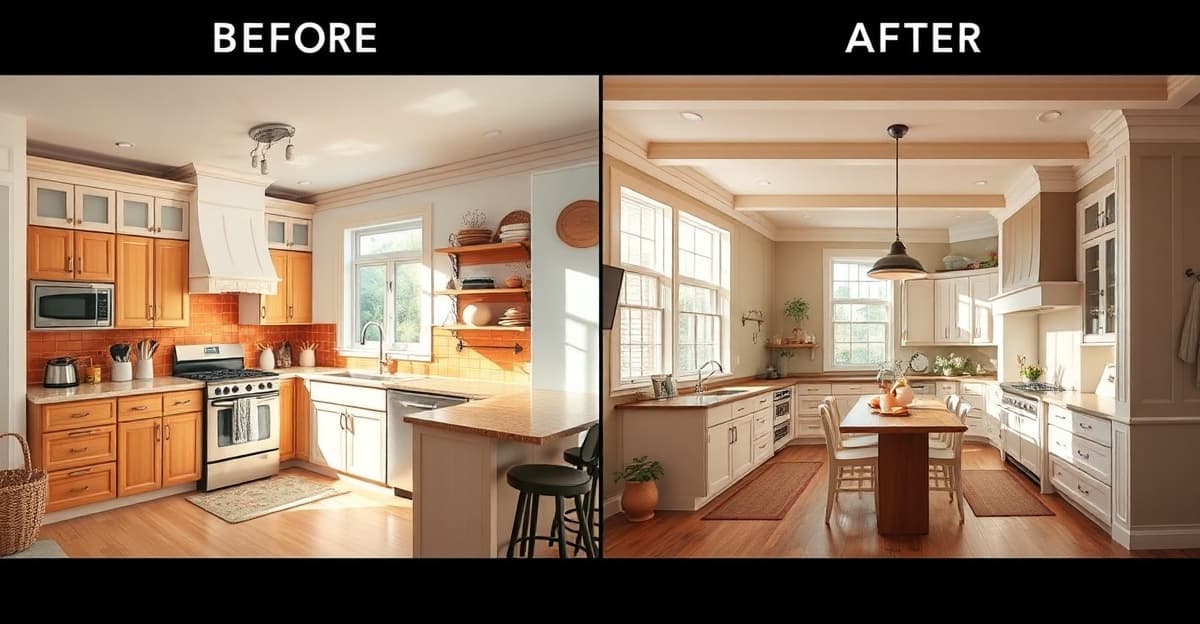
The most common question I hear from homeowners planning a renovation is: “Should I hire an interior designer or can I figure this out myself?”
The honest answer depends on your budget, your project scope, and how confident you are in your own taste. This guide breaks down exactly what interior designers cost in 2026 — from premium in-person services to online platforms to AI tools — so you can make an informed decision.
In-Person Interior Designer Costs
Hiring a traditional interior designer is the most expensive option, but it’s also the most comprehensive. Here’s what you can expect to pay:
Hourly rates: $150–$500/hour, depending on the designer’s experience, location, and reputation. A mid-range designer in a major US city typically charges $200–$350/hour. Expect 20–60 hours for a single room, depending on complexity.
Flat-fee projects: Many designers offer per-room pricing. A living room redesign typically runs $2,000–$8,000. A full home can cost $15,000–$50,000+. This often includes a design concept, space planning, material selection, and project coordination.
Cost-plus model: The designer charges a lower hourly rate (or a fixed design fee) but adds a markup of 20–35% on all furniture and materials purchased through them. This can significantly increase total costs on furnishing-heavy projects.
What you get: Personalized attention, knowledge of building codes, access to trade-only materials and showrooms, project management, and someone who takes responsibility for the outcome. For complex renovations, this expertise is often worth every dollar.
Online Interior Design Services
Online design platforms bridge the gap between DIY and hiring a traditional designer:
Havenly: $129–$699 per room. You get matched with a designer, fill out a style quiz, and receive a customized design with a shopping list. The Mini package ($129) includes a single room concept; the Full package ($349+) includes two revisions, 3D renderings, and a floor plan.
Decorilla: From $449 per room. Higher-end online service with multiple designer concepts, photorealistic 3D renders, a shopping list with exclusive discounts, and a white-glove implementation guide.
Modsy (discontinued): Worth mentioning because it was the most popular online design service before shutting down in 2023. Its closure pushed many users toward AI tools.
What you get: A professional design plan without the full in-person price tag. Turnaround times are typically 1–3 weeks. The trade-off is less personalized attention and no on-site project management.
DIY with AI Design Tools
AI room visualization is the newest option, and it’s dramatically cheaper:
| Tool | Cost | What You Get |
|---|---|---|
| RenovateWithAI | €9–39 | 10–200+ room transformations in 11 curated styles |
| Decoratly | $3.99–$15.99 | Unlimited designs within time window, 50+ styles |
| Interior AI | ~$30 | Credits for room redesigns, virtual staging |
| RoomGPT | Free–$29 | Basic room transformations |
What you get: Instant visual feedback on how your room would look in different styles. Upload a photo, pick a style, and see photorealistic results in seconds. No waiting weeks for a designer to deliver concepts.
What you don’t get: Structural advice, building code knowledge, material sourcing, contractor coordination, or someone to manage the project. AI tools are visualization tools, not design services.
The Full Cost Comparison
| Option | Cost per Room | Turnaround | Best For |
|---|---|---|---|
| In-person designer | $2,000–$15,000+ | 4–12 weeks | Complex renovations, high budgets |
| Online design service | $129–$699 | 1–3 weeks | Full room redesigns, shopping lists |
| AI visualization tool | $4–$39 (multiple rooms) | 10–30 seconds | Style exploration, quick decisions |
| Pure DIY (no tools) | $0 | Varies | Simple changes, tight budgets |
The price gap is staggering. An AI tool can visualize 30+ room transformations for the cost of a single hour with a mid-range designer. But they serve fundamentally different needs.
When You Actually Need a Designer
AI tools are not a replacement for a professional designer in these situations:
- Structural changes: Removing walls, adding windows, changing floor plans. You need someone who understands load-bearing walls and building codes.
- High-budget renovations ($50,000+): When the stakes are this high, the cost of a designer is a small percentage of your total budget — and the risk of expensive mistakes without one is real.
- Commercial or rental properties: Different building codes, ADA compliance, and durability requirements that AI tools don’t account for.
- Historic properties: Preservation requirements, period-appropriate materials, and regulatory approvals that demand expertise.
- You want someone to manage the project: If coordinating contractors, managing timelines, and handling unexpected issues sounds miserable, a designer earns their fee in project management alone.
When AI Is Enough
For many renovation decisions, an AI visualization tool gives you everything you need:
- Cosmetic updates: Paint colors, flooring, furniture style. These are visual decisions that benefit enormously from seeing the result before committing.
- Style exploration: Not sure if you want modern, Scandinavian, or farmhouse? AI tools let you see your actual room in every style in minutes.
- Color and material decisions: The #1 renovation regret is picking the wrong colors or materials. Visualizing first eliminates most of this risk.
- Communicating with contractors: “I want it to look like this” is infinitely more useful than trying to describe your vision in words. AI-generated images become a shared reference point.
- Budget exploration: Before committing to a designer, AI tools can help you narrow down your vision — so when you do hire a professional, you’re not paying for exploration time.
The Best Value Approach
Here’s what I recommend to homeowners who ask me for advice:
- Start with AI visualization (€9). Explore styles with your actual room photos. Narrow down your vision from “I want something different” to “I want modern Scandinavian with warm wood tones.”
- Use the results as a communication tool. Share AI-generated images with your partner, family, or contractor. Get alignment on direction before spending money.
- Decide if you need a designer. If the renovation is cosmetic (paint, flooring, furniture), you probably don’t. If it involves structural changes or a budget over $50K, you probably do.
- If you hire a designer, arrive prepared. Show them your AI visualizations. You’ve already done the style exploration, so the designer can focus on execution, material sourcing, and project management — the things they’re actually better at than AI.
This approach uses each resource for what it’s best at. AI for fast, cheap visual exploration. Professionals for expertise, coordination, and execution.