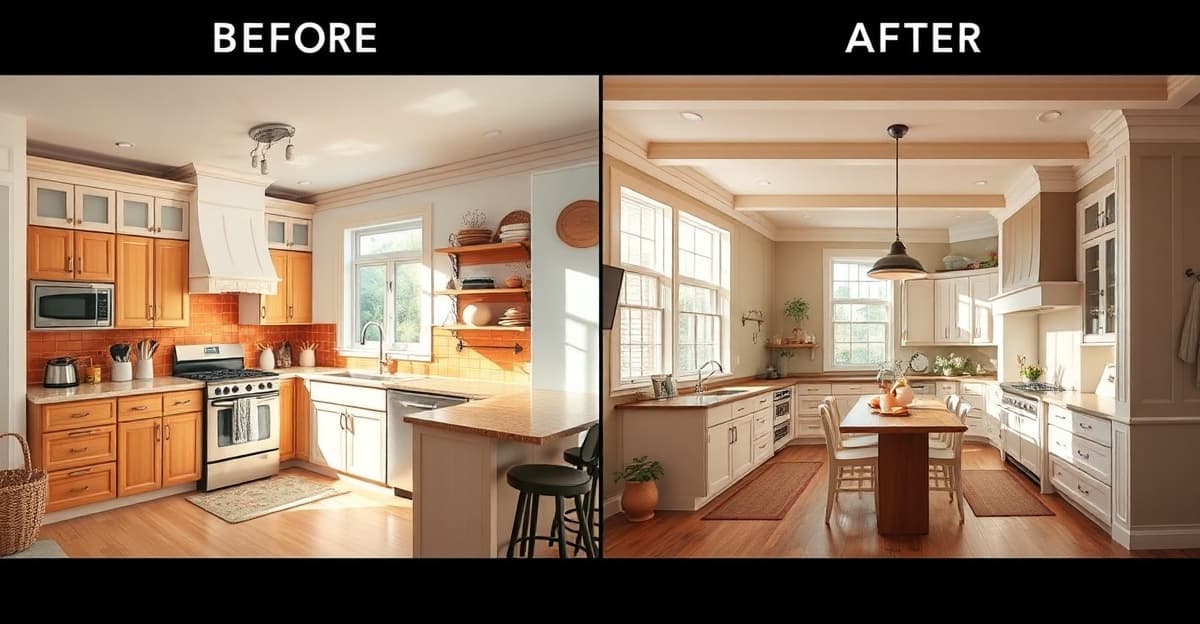
Renovation regret is real, and it’s more common than most people think. According to recent surveys, 74% of people who renovated their home regret at least one decision they made, and 78% end up exceeding their original budget.
After talking to hundreds of homeowners through RenovateWithAI, I’ve noticed the same five mistakes coming up again and again. And every single one of them could have been prevented by doing one simple thing: seeing the result before committing.
Mistake #1: Choosing the Wrong Color Scheme
This is the single most common renovation regret. You spend hours picking the perfect paint color from tiny swatches, you commit, and when the walls are done… it looks nothing like you imagined.
The problem isn’t your taste. It’s that paint samples lie. A 2-inch swatch looks completely different when it covers an entire wall. Colors interact with your room’s natural light, your flooring, your furniture, and the colors in adjacent rooms. That warm beige you loved at the store can look sickly yellow on a north-facing wall.
How visualization prevents this: AI room tools let you see your entire room in a new color scheme before buying a single can of paint. You can compare warm vs. cool tones, see how colors interact with your existing furniture, and test multiple options in minutes instead of weeks.
One of our users told me she was about to paint her kitchen a deep navy blue based on a Pinterest inspiration board. She ran it through RenovateWithAI first, saw that her small kitchen with limited natural light looked cave-like in navy, and switched to a sage green that opened the space up. She estimated that visualization saved her $500 in paint and labor costs for a do-over.
Mistake #2: A Style That Feels Wrong in Your Space
Call this the Pinterest gap. A style looks incredible in a professionally photographed, perfectly proportioned room on Pinterest. But your room has different proportions, different light, and different architectural features.
Open shelving in the kitchen is a perfect example. It looks effortlessly chic in magazine photos — where the shelves hold three artfully placed ceramic bowls and a small plant. In your real kitchen, those shelves hold cereal boxes, mismatched mugs, kids’ vitamins, and the pasta maker you used once.
How visualization prevents this: Instead of imagining how a style would look in your space, you can see it. AI tools apply the style to your actual room — with your proportions, your light, your windows. The gap between Pinterest fantasy and reality becomes obvious immediately.
I’ve seen this save people from everything from industrial-style living rooms (exposed brick looks amazing in a loft, but cold and harsh in a suburban family room) to ultra-minimalist bedrooms that looked more “hospital” than “zen.”
Mistake #3: Rooms That Don't Flow Together
You renovate the kitchen in a sleek modern style. It looks great. Then you walk into the adjacent living room, which is still traditional with floral wallpaper and dark wood furniture. The contrast is jarring.
This happens because most people renovate one room at a time, making decisions in isolation. Each room looks fine individually, but the transitions between spaces feel disjointed.
How visualization prevents this: Run multiple rooms through the same style. See your kitchen, living room, and dining room all in “Modern” or all in “Scandinavian.” Check that the visual language is consistent before you commit. You can also test transition-friendly styles — a transitional or contemporary approach often bridges different aesthetics better than committing fully to one extreme.
Mistake #4: Spending on Trends That Date Quickly
Every era has its renovation trends that seem timeless in the moment and embarrassing five years later. All-white kitchens that now feel clinical. Barn doors on every opening. Chevron tile patterns. Grey-washed everything.
The tricky part: when you’re in the middle of a trend, it feels like a classic choice, not a fad. You only realize it was trendy after the trend passes.
How visualization prevents this: When you can see your room in nearly a dozen different styles side by side, trendy choices become obvious. The style that looked amazing in one trend-of-the-moment suddenly looks dated next to timeless alternatives. Visualization makes the comparison immediate and visceral — you’re not imagining “what if”, you’re seeing it.
A good test: visualize your room in your chosen style, then visualize it in a classic, neutral alternative. If the trendy option doesn’t feel significantly better, it’s probably not worth the risk of dating your home.
Mistake #5: Contractor Misalignment
“That’s not what I meant.” These five words have caused more renovation budget overruns than almost anything else.
The problem is that words are terrible at communicating visual ideas. You say “modern but warm.” Your contractor hears “grey and white with a few wood accents.” You meant “clean lines with lots of natural wood and warm lighting.” By the time you see the interpretation, work has already been done.
How visualization prevents this: An AI-generated image of your room in your chosen style becomes a shared reference point. Instead of describing “modern but warm,” you hand your contractor a photorealistic image showing exactly what you mean. The image eliminates ambiguity.
Several contractors I’ve spoken with say that clients who arrive with visual references — whether from AI tools, Pinterest, or magazines — are dramatically easier to work with. The project stays on track because everyone is working toward the same visual goal.
How AI Visualization Fits Into Your Renovation Process
You don’t need to reorganize your entire renovation process. AI visualization slots in naturally:
- Photograph your current rooms. Well-lit, straight-on photos work best. One photo per room you’re considering renovating.
- Explore styles. Run each room through several styles. Don’t just try the one you think you want — try 5 or 6. You might be surprised.
- Narrow to 2–3 options. Compare your favorites side by side. Show them to your partner, your family, or friends whose taste you trust.
- Share with your contractor. Use the visualizations as a reference point for quotes and conversations. This alone can save hours of back-and-forth.
- Proceed with confidence. You’ve already seen the outcome. The guesswork is gone.
The whole process takes 15–20 minutes per room. Compare that to the weeks (or months) of second-guessing that most renovators experience.
Key Takeaways
- Test paint colors and materials on your actual room, not tiny swatches — AI tools make this instant
- The Pinterest gap is real: always visualize styles in your space, not just in magazine photos
- Check that adjacent rooms flow together by testing them in the same style
- Compare trendy choices against timeless alternatives before committing
- Give your contractor a visual reference — words alone cause expensive misalignment